
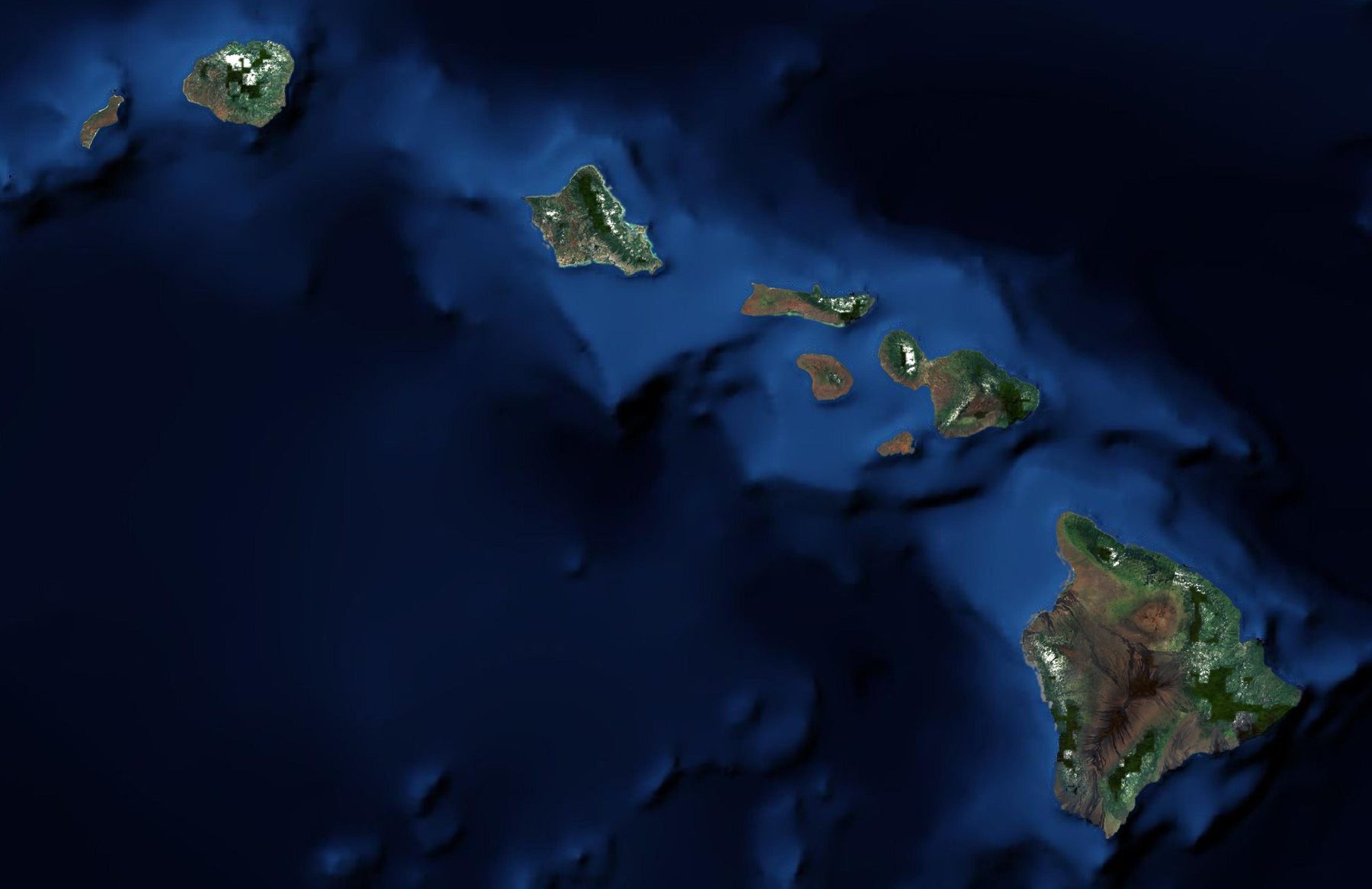
ʻĀina-OS collects bills from Hawaiian Electric, the water departments and Hawaiʻi Gas every night.
It signs in to each utility's portal with your account, brings back the new statements, and files each one under its property and meter.
Puts every bill for the portfolio in one table.
Spend by month and by utility, over a table of every statement you can narrow by property, status or utility.
Shown on sample data.
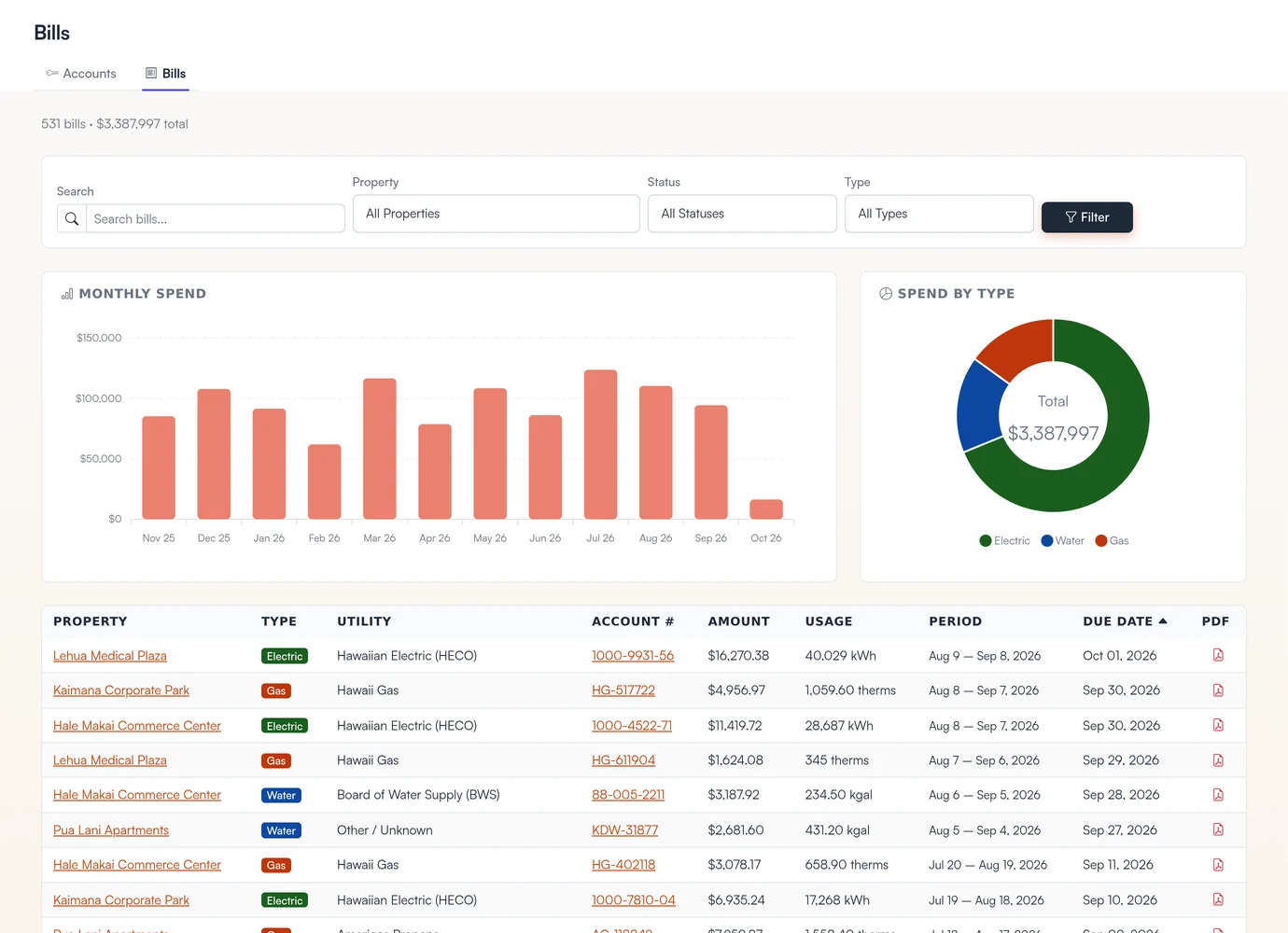
- FiltersNarrow to one property, status or utility type.
- Monthly spendTwelve months of spend across every account.
- Spend by typeElectric, water and gas, split out of one total.
- Every utility in one tableHawaiian Electric, the Board of Water Supply and Hawaiʻi Gas in the same list.
- The statement PDFWhen the utility sends one, it's a click from the bill.
Calculates what each tenant owes, by submeter, fixed share or square footage.
- Usage
- 52,180 kWh
- Amount due
- $18,412.36
Readings come from the systems your buildings already have: eGauge meters, Niagara N4 building controls, Aquacue water meters, and Hawaiian Electric's interval data from eService and MyBiz. Where a property is read by hand, the walk goes in from a spreadsheet. Each tenant can use a different method, and the house meter takes whatever is left.
When a bill comes in well above the meter's own history, ʻĀina-OS flags it as a possible leak or spike. Oʻahu buildings are also compared with peers from the City and County of Honolulu's public benchmarking data.
Charts each property's energy, water and cost on dashboards you build.
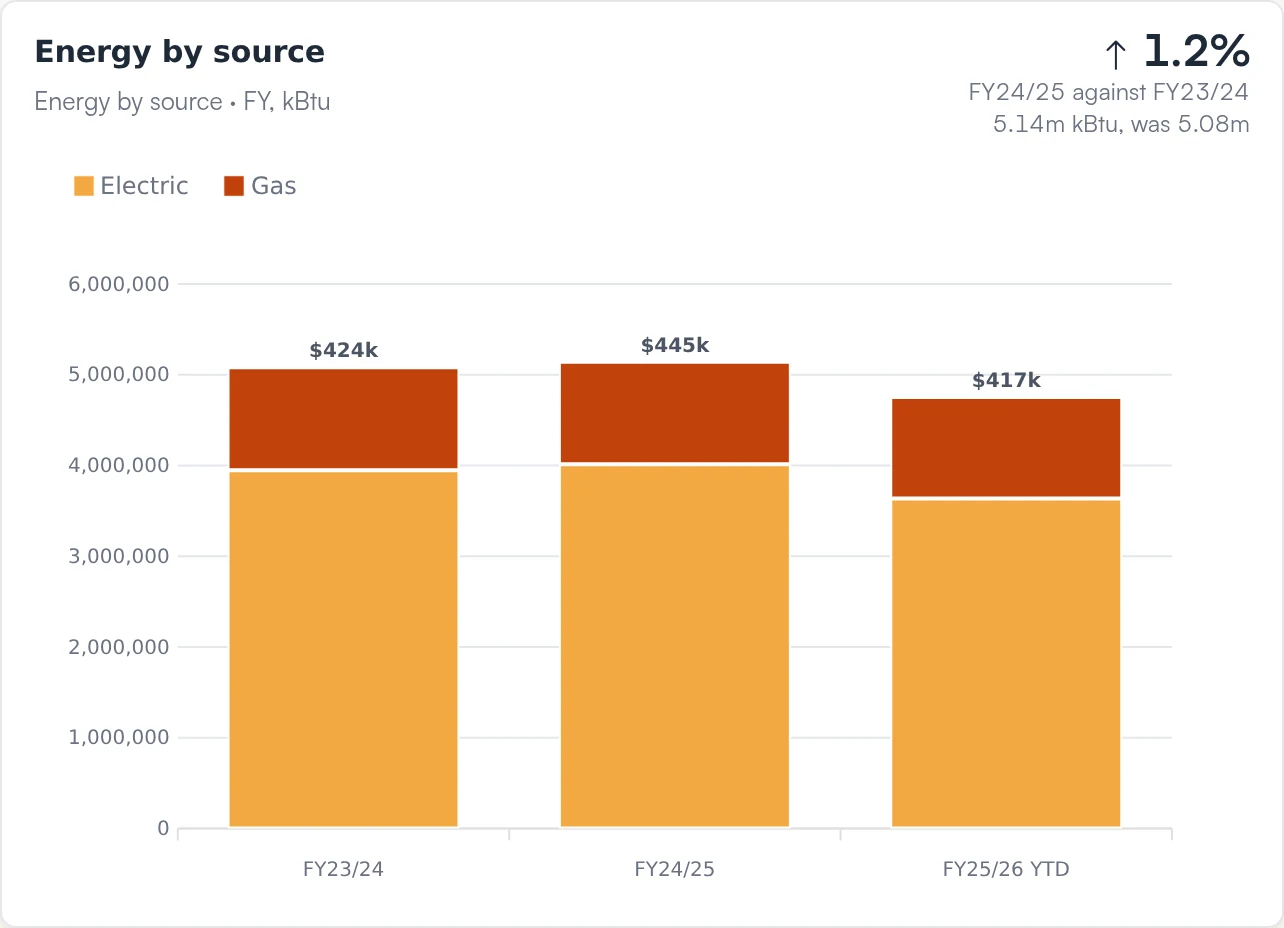
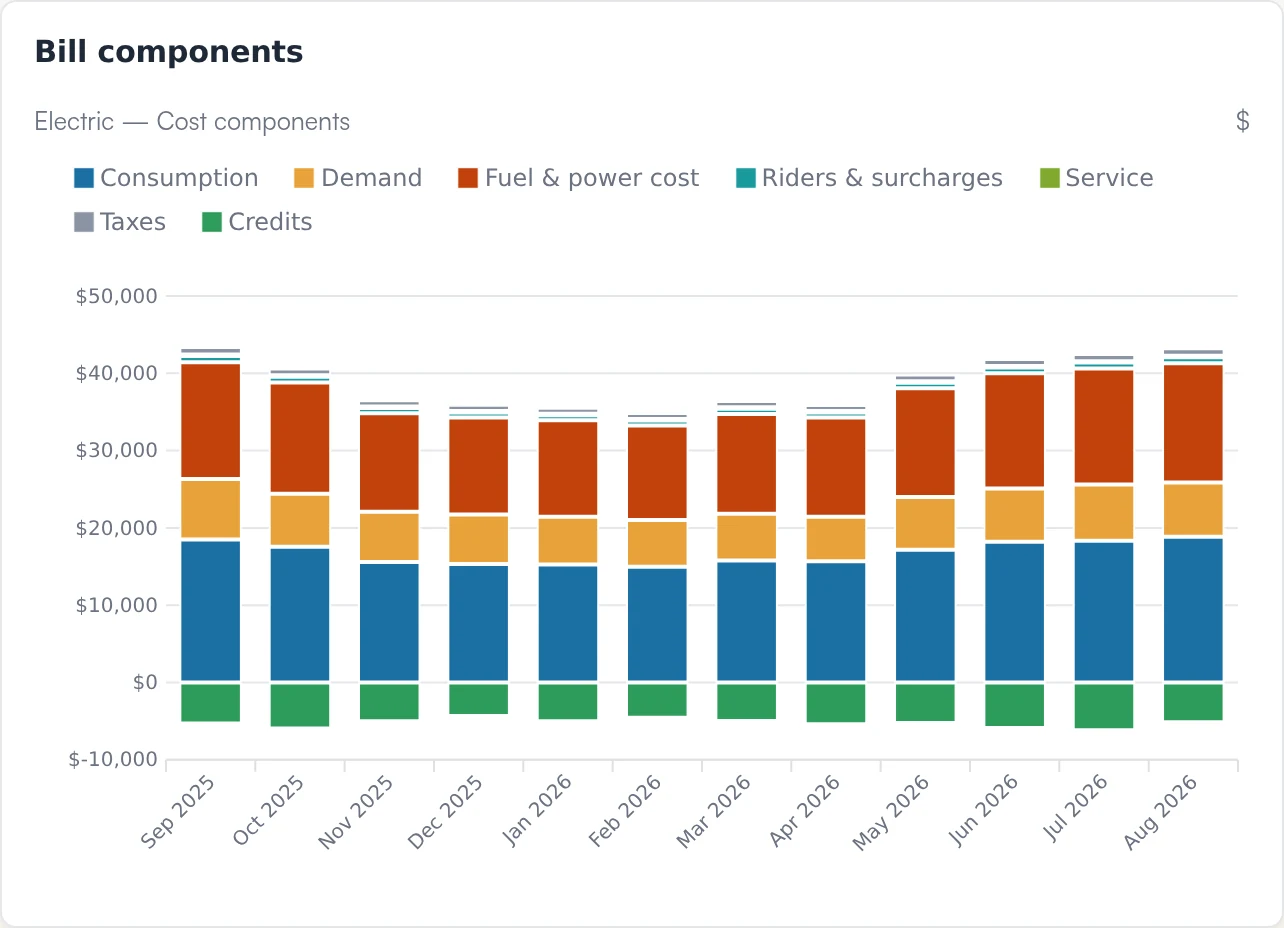
Dashboards are built from cards: year over year, energy and cost by source, bill components, monthly use and solar output. Pick the cards and the period. They update as bills and meter readings arrive, export to PDF, and can go to an owner by email on a schedule.
Sample data. Each card is a live view in ʻĀina-OS.
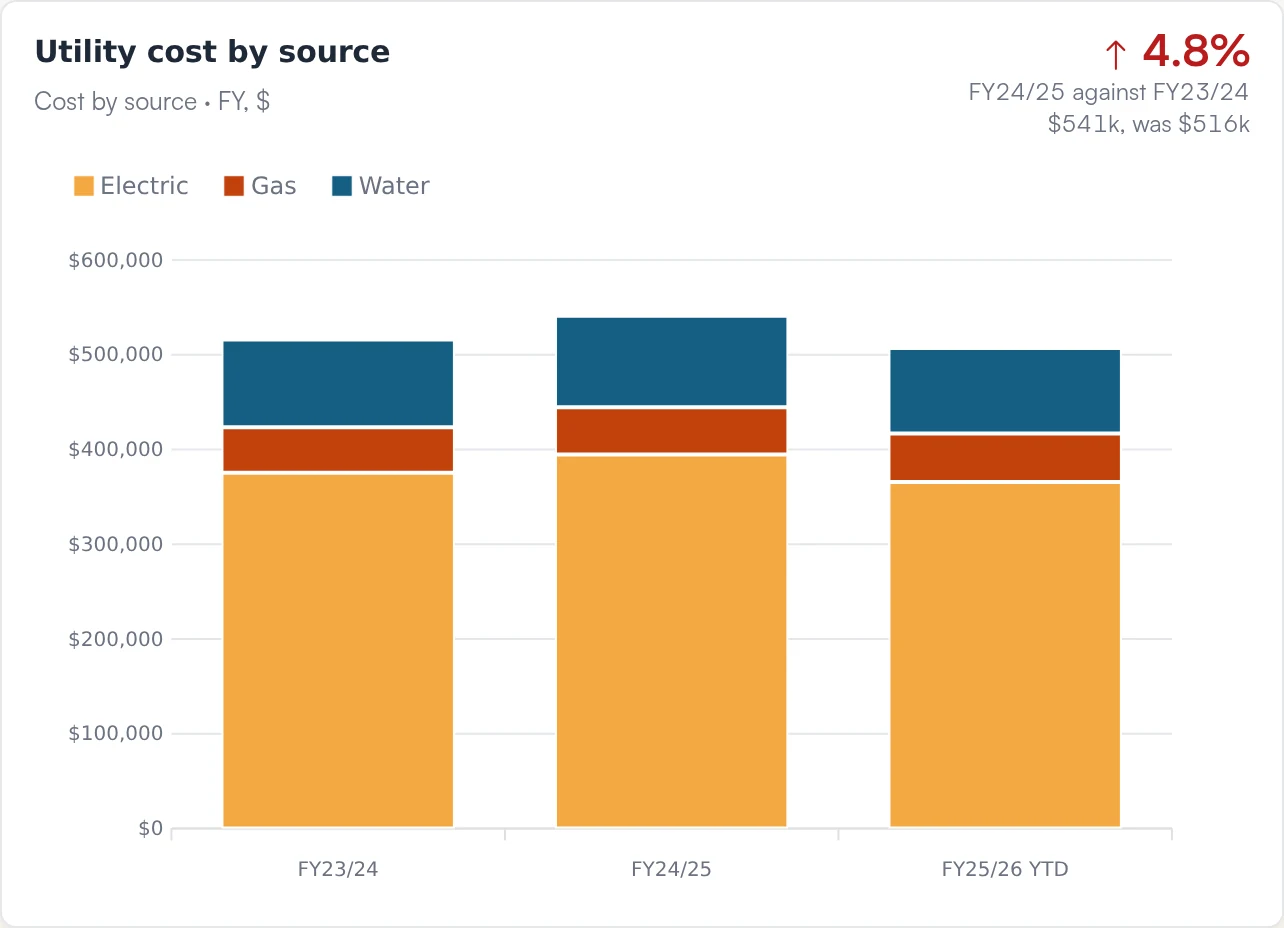
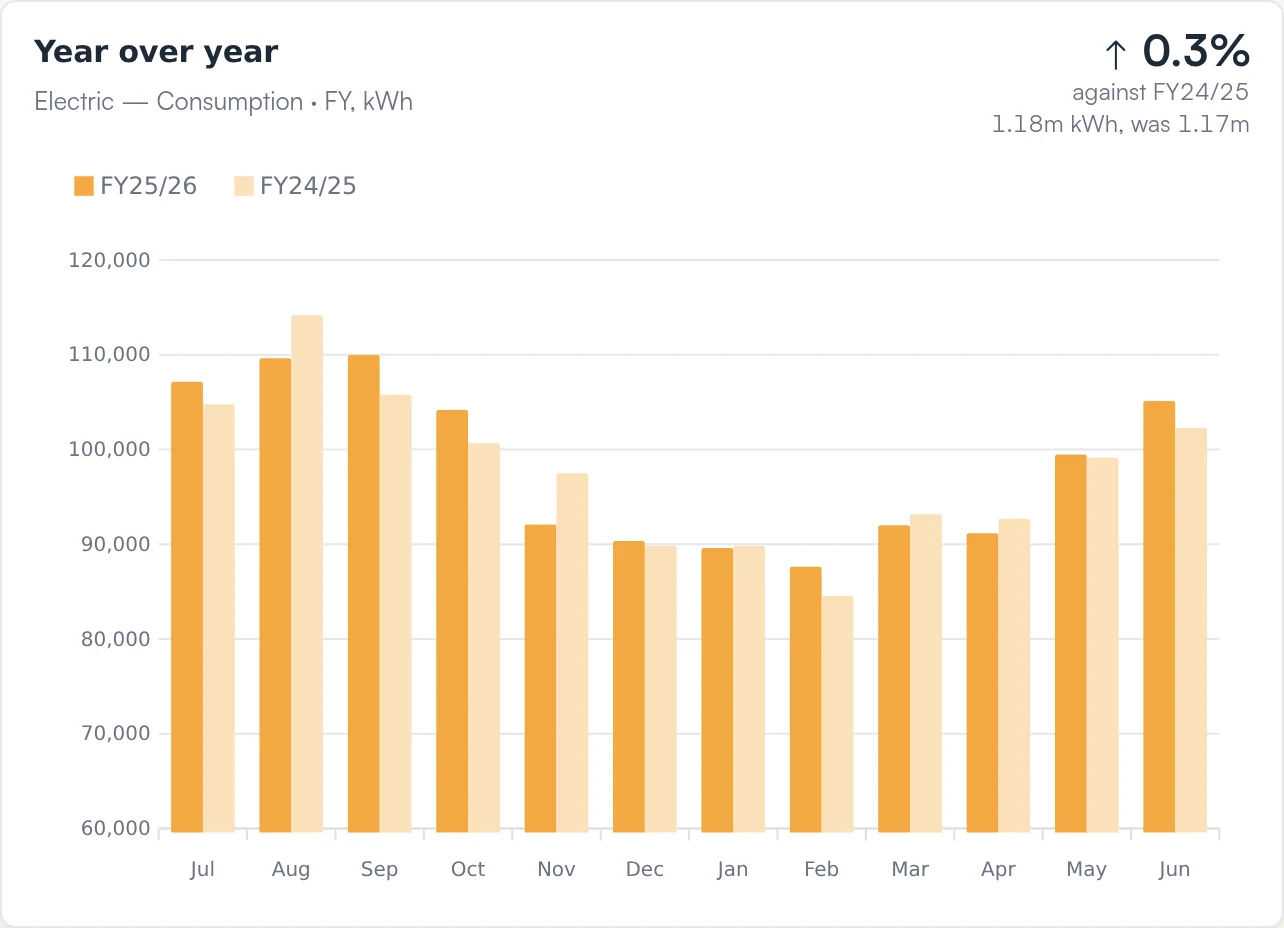
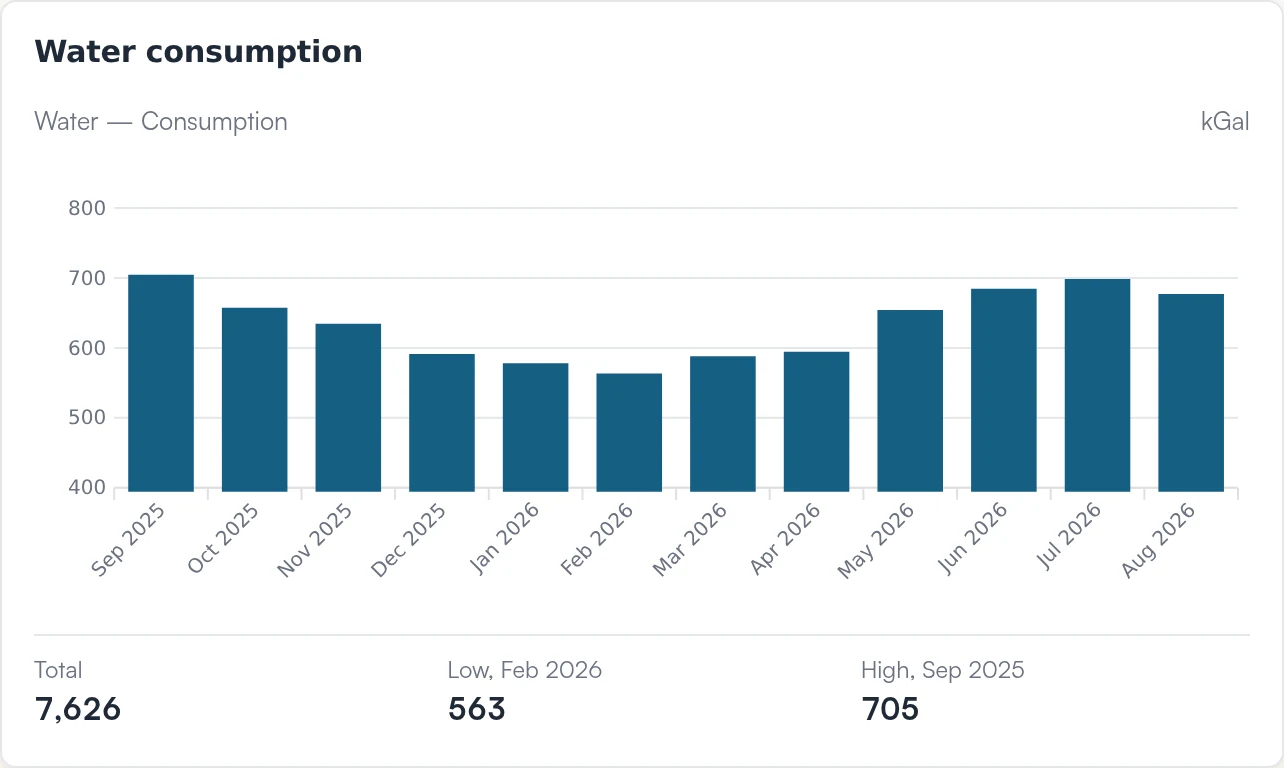
Tracks what your solar makes, and flags the arrays that fall behind.
Each system reports through its eGauge meter: live output, this month against what it should make, and a status that changes the day a system stops producing or stops reporting. Maintenance tasks and safety checklists sit with the system.
Sample systems. Each bar is this month's metered output against what the array should have made; the line marks 100%.
Gives every system its own page.
Its status, production against expected, uptime and open maintenance, for one 400 kW array.
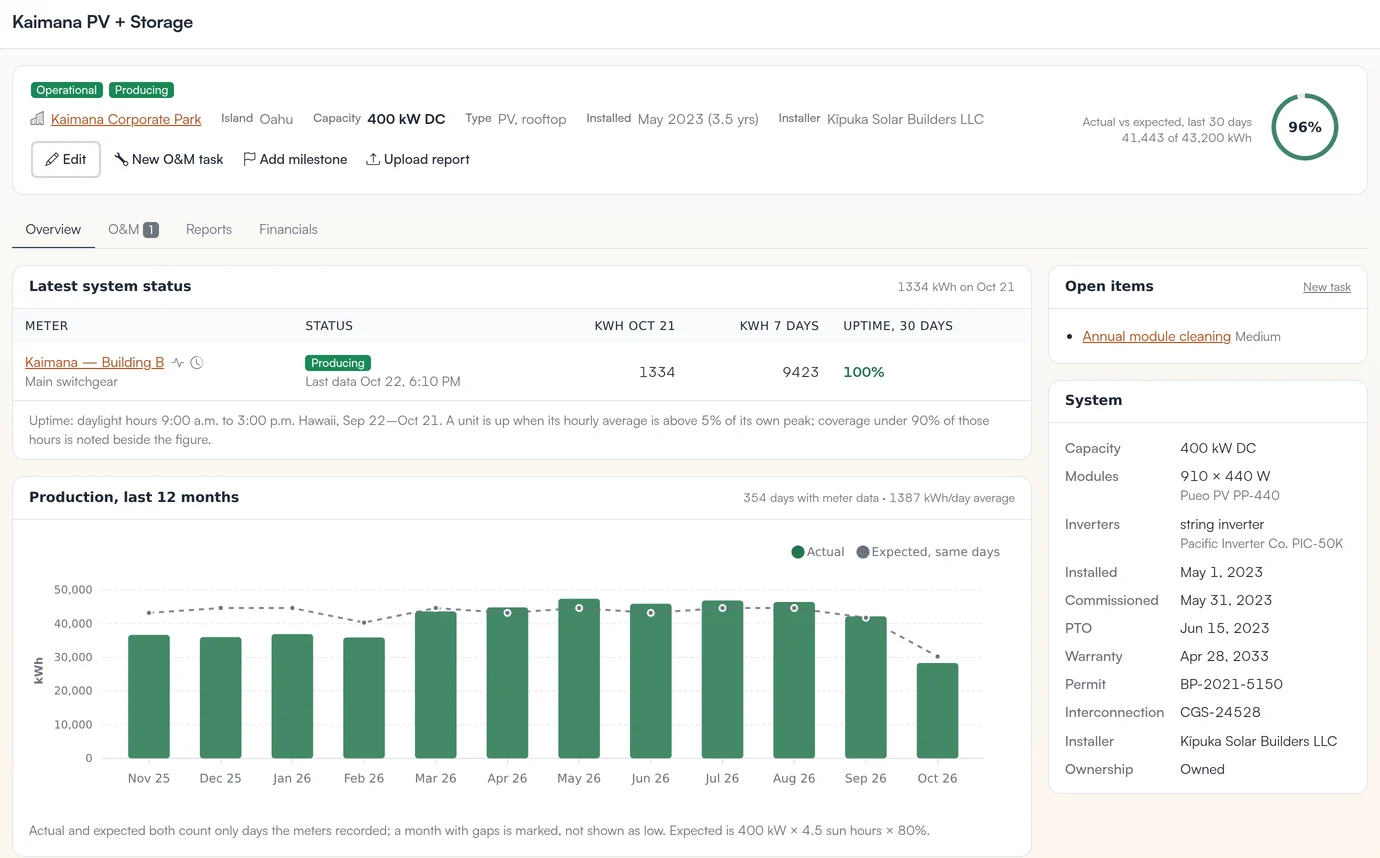
- Status from the meterProducing, no data, never reported or incomplete, read from the eGauge every ten minutes.
- Against expectedThe last 30 days of output against what a 400 kW array should make.
- Twelve months of productionEach month against its expected output; a month with gaps is marked, not shown as low.
- UptimeDaylight uptime for each meter over the last 30 days.
- Open maintenanceO&M tasks and safety checklists sit with the system.
Runs each energy project from the audit to the rebate check.
A project starts from an energy-audit measure or a blank page. ʻĀina-OS works out the NPV, payback and IRR against your hurdle rate, runs the RFP for solar and battery work, follows the Honolulu building permit, tracks budget against actual through construction, and follows the Hawaiʻi Energy rebate from application to payment.
- Plan
- AuditOct 2025Level 2 audit recommends storage to cut the park's demand peak.Rebate: lead
- CaseDec 2025NPV $212K, payback 6.8 yr, clears the 8% hurdle.Rebate: submitted
- Deliver
- ProcureFeb 2026RFP to four vendors; three proposals scored side by side.Rebate approved, funds reserved
- PermitApr 2026Building permit tracked on HNL Build.
- BuildJun – Nov 2026$388,000 of $540,000 spent; progress updates on the project.Rebate: sent for processing
- Close out
- OperateDec 2026 onCharge and discharge on the park's dashboard.Rebate paid: $90,000
Sample project. Build tracking today covers status, contractors, budget against actual and progress updates.
Follows the permit on HNL Build.
ʻĀina-OS checks Honolulu's permit portal three times a day for the permits you watch, and emails you when one changes phase, picks up a review task or gets an inspection.
Sample permit.
Shows each project's business case and rebate on one page.
The NPV and payback against your hurdle rate, the cash flow over the project's life, and the Hawaiʻi Energy rebate that pays part of it.
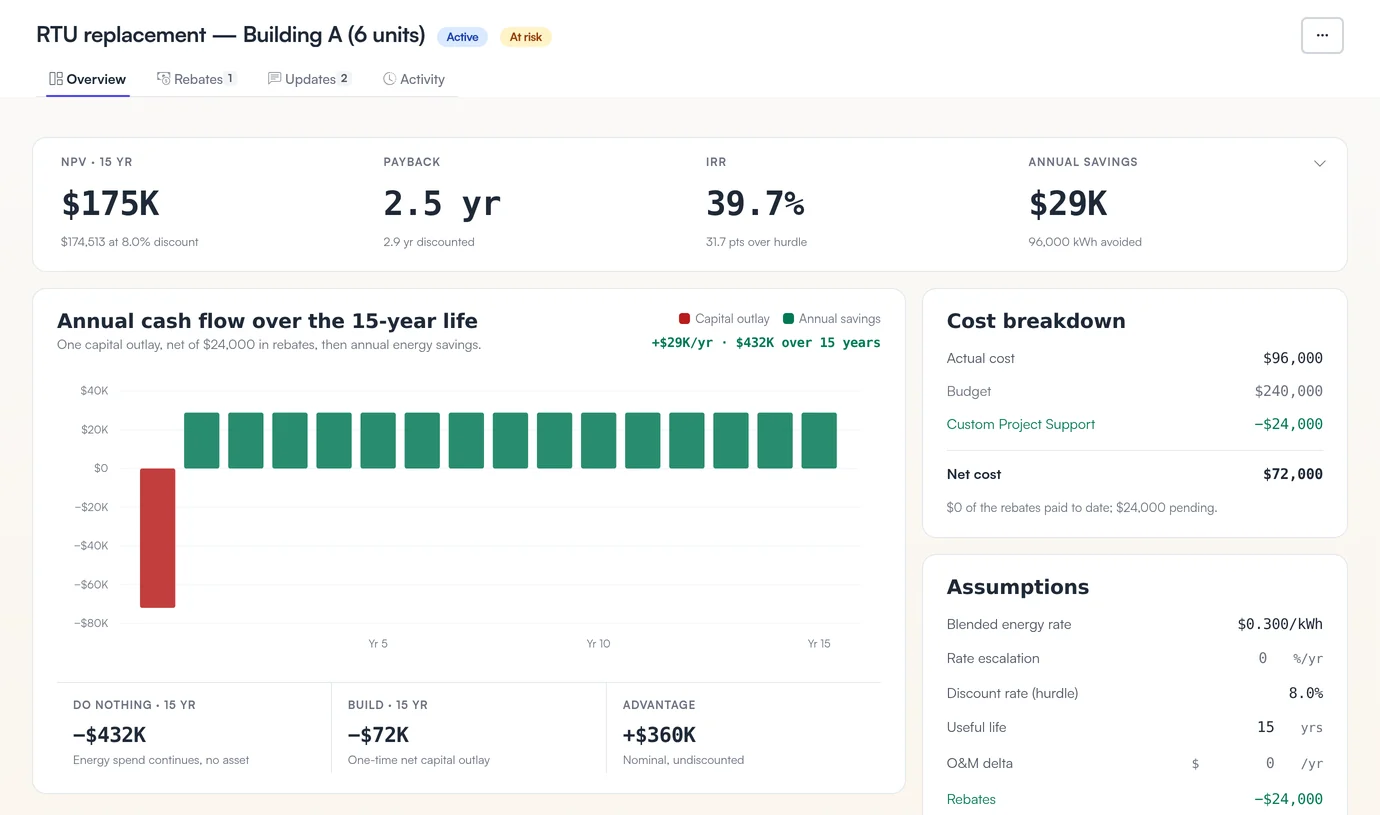
- HealthThe project flags itself when it falls behind its dates or spends faster than it progresses.
- The business caseNPV, payback and IRR, measured against your hurdle rate.
- Cash flow over its lifeOne outlay, net of rebates, then fifteen years of savings.
- The rebateThe Hawaiʻi Energy rebate comes off the cost and shows as paid or pending.
- AssumptionsEnergy rate, escalation, useful life and O&M sit on the page; change one and the case reruns.
Handles work orders, documents and questions around the buildings.
The day-to-day work sits in the same place as your bills and projects.
Work orders
From report to dispatch to done, with a response target set by priority and the cost logged against the equipment.
Documents
Leases, permits and insurance certificates live with the property, and anything expiring within 30 days is flagged.
Lease, Unit A-110 · p. 6
Ask Alana
Ask in plain language. Answers about documents cite the page they came from.
Sample content.
ʻĀina-OS is made in Hawaiʻi.
Walk through a sample Hawaiʻi portfolio.
Eight properties on four islands, from a Honolulu retail center to a Waimea ranch, with their bills, dashboards and projects as they appear in ʻĀina-OS. The portfolio is invented; the screens are real.
See the sample portfolioLet's talk story.
Tell us roughly how many buildings you have and on which islands, and we'll show you how ʻĀina-OS would fit your portfolio.